Advisor consultant
The first phase of any project: a conversational agent that helps you define scope, analyze risks, diagnose your Windows system and prepare the perfect request before launching the multi-agent team.
What it does
Consulting before execution
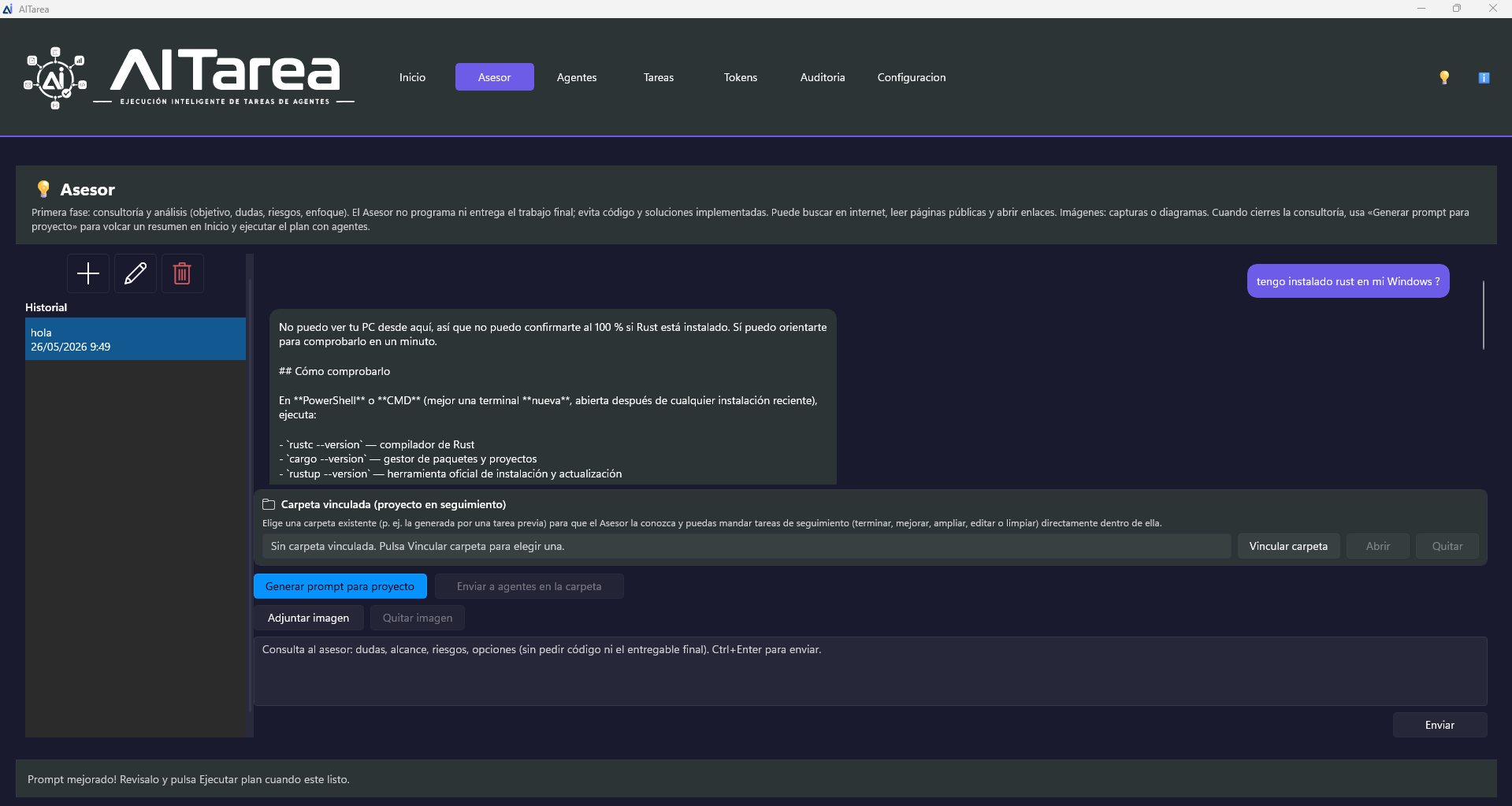
The Advisor does not replace multi-agent execution: it is your contact for questions, quick diagnostics and request refinement. When you are ready, it generates a structured prompt you can send directly to the agents.
All conversations are saved to disk. You can create new ones, rename them, delete them and resume any thread where you left off. Ideal for long projects requiring several consulting sessions.
Send screenshots, diagrams or photos for the Advisor to analyze. Useful for describing visual errors, interfaces or scanned documents.
Link a previous task folder or existing project. The Advisor can read files, suggest improvements, clean up code or prepare follow-up tasks on that specific workspace.
With one click, summarize the entire conversation into a structured briefing ready to paste in Home → Create and launch the agent team in parallel mode.
When to use each mode
Advisor vs. multi-agent request
| Situation | Use the Advisor | Use Home → Create |
|---|---|---|
| Do I have Rust installed on Windows? | ||
| Create a full REST API with tests | ||
| Refine scope and risks before starting | Optional | |
| Improve code from a previous task | With linked folder | Follow-up |
| Research and write an extensive report | Prior consultation | |
| Analyze an error screenshot | With attached image |
Keyboard shortcuts
Ctrl + Enter sends the message. Enter alone adds a new line.
Project follow-up
Link folders from previous tasks to iterate: finish, improve, clean up or extend work already done.
Send to agents
With a linked folder, delegate follow-up work directly to the multi-agent engine from the Advisor.